Choosing the Right Print-on-Demand Postcard Software: A Buyer’s Guide for Launch and Growth
The right print-on-demand postcard software does two jobs at once. On launch day, it gives your customers an editor they can finish a card in without help, and it turns every order into a print-ready file without anyone touching it. Two years later, it carries personalized series, new product categories, and more storefronts on the same setup. This postcard print on demand software buyer’s guide covers how to choose postcard design software against both horizons: design capabilities, variable data, production automation, store integration, AI, growth, and pricing, with the questions to ask before you sign. For the wider business picture, start with our guide on how to sell print-on-demand postcards.
Core Design Capabilities to Look For
A postcard is a small product with a short decision window. A shopper picks a photo, adds a line of text, chooses a size, and decides in a few minutes whether the card is good enough to send. Everything that slows that moment down costs you orders, so the editor deserves most of your attention in a demo.
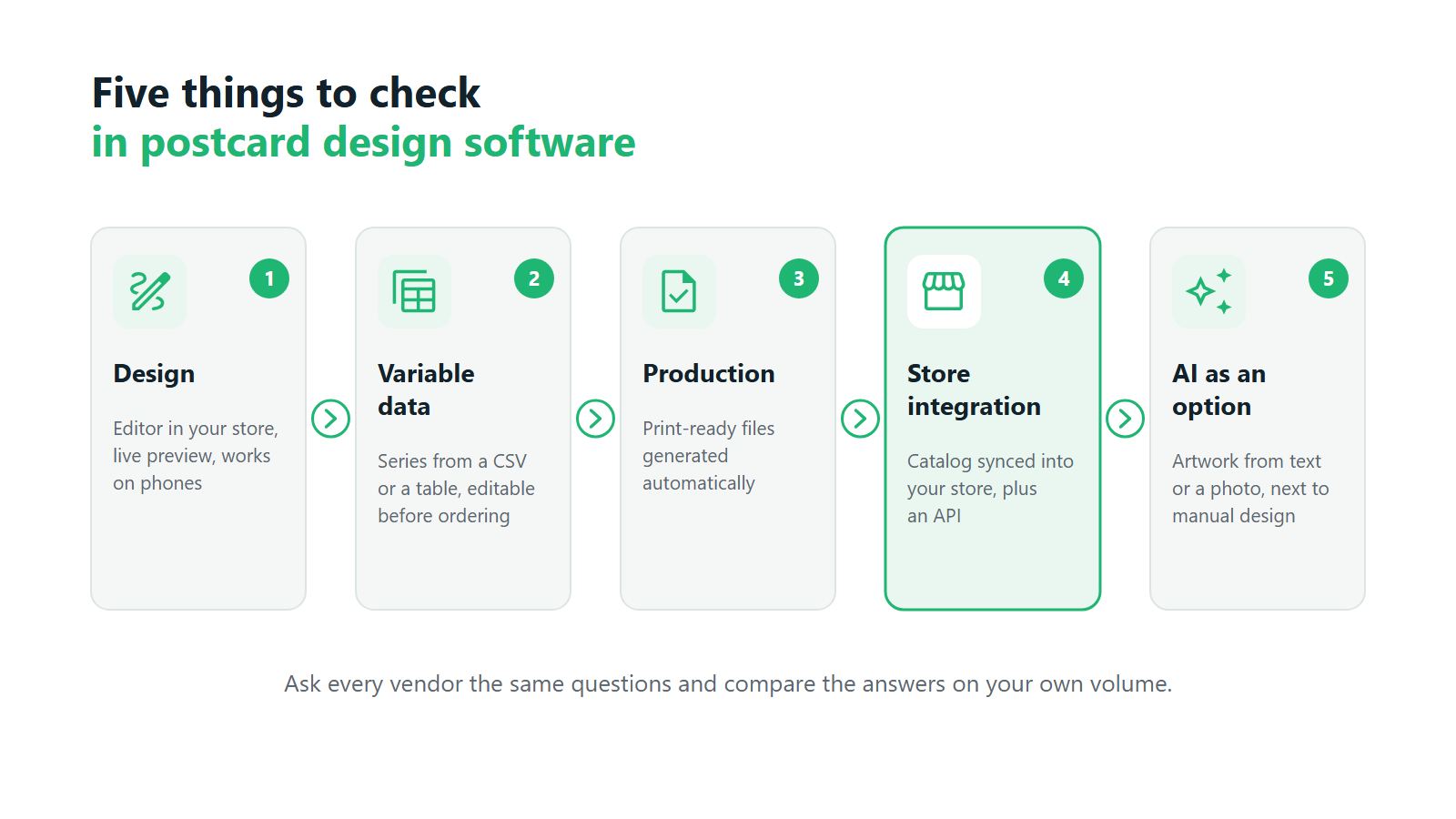
If you are wondering what to look for in postcard design software first, start your postcard software features checklist with these six points:
- An editor embedded in your own site. Customers should design on your domain, under your brand, on the product page they arrived on. Every handoff to an outside tool loses shoppers.
- A live preview. The customer should see the card as it will print, cropped to the chosen format, updated with every change. A preview that ignores the format is where reprint requests begin.
- Text and photo personalization. Upload a photo, crop it, place a message, change the font. These basics need to work without a tutorial.
- Occasion templates. Birthdays, holidays, travel, save-the-dates. Ask who builds and maintains these templates, and how you switch them on and off for a season.
- Format and paper configuration. You should be able to define sizes, paper stocks, and finishes yourself in the admin panel, without a ticket to the vendor for each new variant.
- A mobile-first experience. Many postcards are made from photos that live on a phone. If the editor is awkward on a small screen, you lose the customers who were most ready to buy.
Anyone learning how to choose postcard design software should test the customer-facing points on a phone during the demo, since that is where many customers will meet them.
Variable Data and Series Orders
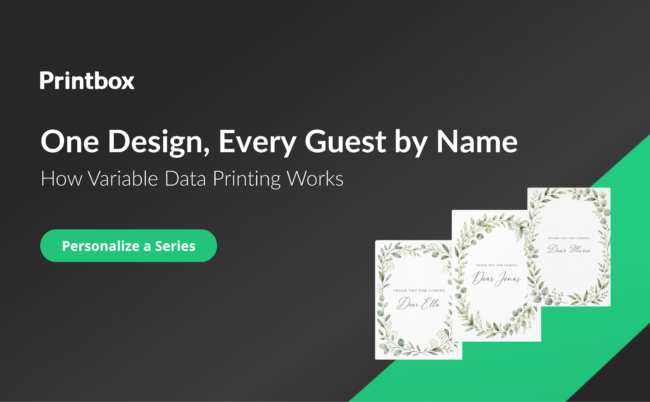
A single custom postcard is one side of the market. The other is the series: wedding thank-you cards with a different guest name on each one, a company holiday mailing to two hundred clients, a school sending a card to every family. This is variable data printing (VDP), and it changes what you should expect from the software.
Check three things. First, the customer should be able to upload a data file, usually a CSV, and have each row fill the design automatically, so one layout becomes a full batch of personalized cards. Second, the customer needs a way to review and fix the imported data inside the editor, because spreadsheets arrive with typos, missing fields, and duplicate rows. Third, you as the administrator should control order quantities for these products, so a series is priced and produced the way you intended.
Each record should end up as its own print file, ready for production. If your team has to split a merged file by hand, the series business stops being profitable at exactly the volume where it should start paying off. Our deep dive on variable data printing for personalized postcards covers the mechanics and the use cases in more detail.
Production & Quality Automation
The step between “customer clicks buy” and “press starts printing” decides whether a postcard line scales. Postcards are low-ticket products, so a few minutes of manual prepress can wipe out the margin on an order.
The platform you choose should generate a print-ready production file automatically for every order. It should check photo quality before the order is placed, at least warning the customer when an image is too low in resolution for the chosen size. And it should deliver files into the production workflow you already run, whether that is your own presses or a fulfillment partner, in the format your printer expects.
In a comparison of postcard design software for print shops, this section usually decides the shortlist. A print shop already has presses, finishing, and a prepress team. What it needs from software is a steady flow of clean files that fit the existing line, with as little human handling as possible.
Platform & Catalog Integration
Most postcard sellers already run a store on Shopify, Shopware, or a custom build, or plan to. The question is how deeply the postcard software becomes part of it. An embedded widget can show an editor on a product page and still leave you maintaining the catalog twice, once in the store and once in the print platform.
Native catalog sync closes that gap. Products, variants, sizes, and paper options are defined once in the print platform and appear in the store automatically, so a new format or a seasonal range does not mean a round of manual updates. Orders then need to flow from the store into production on their own, with nobody exporting or re-keying them. Ask how each of these two flows works, because vendors sometimes describe both under one feature name.
Then check the list of supported platforms. Is there a ready integration for the store you use today? Is there an API for anything custom, such as a headless storefront or an in-house ERP? Our guide to web-to-print API integration explains what the custom route involves, and if your store runs on Shopify, our article on selling print-on-demand postcards on Shopify walks through the setup.
AI-Assisted Design as an Optional Path
Generative AI gives postcard shoppers a new way to start: describe a scene in a prompt, or upload a photo and ask for a new style, and get artwork nobody else has. That is a useful second path for customers who arrive without a ready image.
It works best as an addition. Plenty of postcard customers already have the photo they want on the card, and they have no interest in prompting. When evaluating postcard design software with AI features, check that the manual editor stays fully available and that AI output lands in the same catalog, with the same formats and papers and the same checkout.
AI images are often generated at screen resolution, so ask whether the platform upscales them to print resolution automatically. It is also worth asking how content is controlled: prompts that request inappropriate content, or reference copyrighted characters and public figures, should be blocked automatically before they become an order you would have to refuse.
How Printbox Meets These Criteria
Printbox covers the design, variable data, production, integration, and AI criteria from this guide on one white-label platform. Customers design postcards in an editor embedded in your own store: the Simple Editor lists postcards and invitations among its products and shows a live preview. The mobile-first Flex Editor covers personalized cards and gifts with a realistic 3D preview. Sizes, papers, and finishes are catalog attributes you configure yourself.
For series, the Variable Data Printing module lets customers upload a CSV file or type data in by hand, then review, add, or delete records in a table inside the editor. You set quantity limits in the admin panel, and every data row becomes its own print file. A print-ready production file is generated automatically for every order, and customers see a low-resolution warning before they order. EC Sync keeps your store catalog in sync with Printbox automatically on Shopify, Shopware, or any custom store via API, and orders flow to production through a separate, also automatic, route. Masterpiece AI adds optional text-to-image and image-to-image creation inside the Flex Editor, next to manual design. It upscales results to print resolution and moderates every prompt automatically. The full postcard setup is described on our postcard print-on-demand software page.
Will It Grow with You? Scalability Criteria
Migrating a catalog, a store integration, and a production flow is expensive, so the software you pick at launch tends to stay for years. Judge it against the business you expect in two or three years as well as the one you have today.
Six questions cover most of it:
- Single orders and series on one platform. The same system should take a single custom card, a personalized batch from a data file, and a large order, without a separate tool for each.
- New categories without new integrations. When postcards work, sellers usually add photo books, calendars, or posters next. Check whether a new category plugs into the existing setup or needs another project.
- More than one store. If you plan a second brand, a regional site, or a B2B shop, ask how the platform handles several storefronts and how each one connects to the catalog.
- Languages. A storefront you can translate makes it far cheaper to test a new market. Our guide to expanding personalized products into international markets covers what else that move involves.
- Upselling and purchase paths. Add-ons offered before the cart, and different checkout flows per product or campaign, raise basket value once traffic is steady.
- Automation that holds at volume. File preparation that is automatic at fifty orders a week should stay automatic at five thousand.
When you assess postcard design software for print shops, the question of categories matters most, because a print shop that already produces several product types gains the most from running them all through one platform. Our article on whether print-on-demand is scalable looks at where growing businesses usually hit their limits, and our piece on selling personalized products across multiple channels covers the store side of growth.
How Printbox Grows with a Postcard Business
On Printbox, one platform takes a single custom postcard, a personalized VDP series, and a large order of photo prints placed in one session. The same setup runs postcards, photo books, calendars, albums, and posters, so a new category joins the catalog you already manage. Several stores can run on one Printbox account through multistore, depending on your plan, and each store connects through its own EC Sync connection. The storefront can be translated into any language. It can show an upselling pop-up before an item goes into the cart, and you can set multiple purchase paths per product, device, or campaign. Printbox does not print: production stays on your own presses or with your fulfillment partner, and production files reach them automatically.
Understanding Pricing and Deployment Models
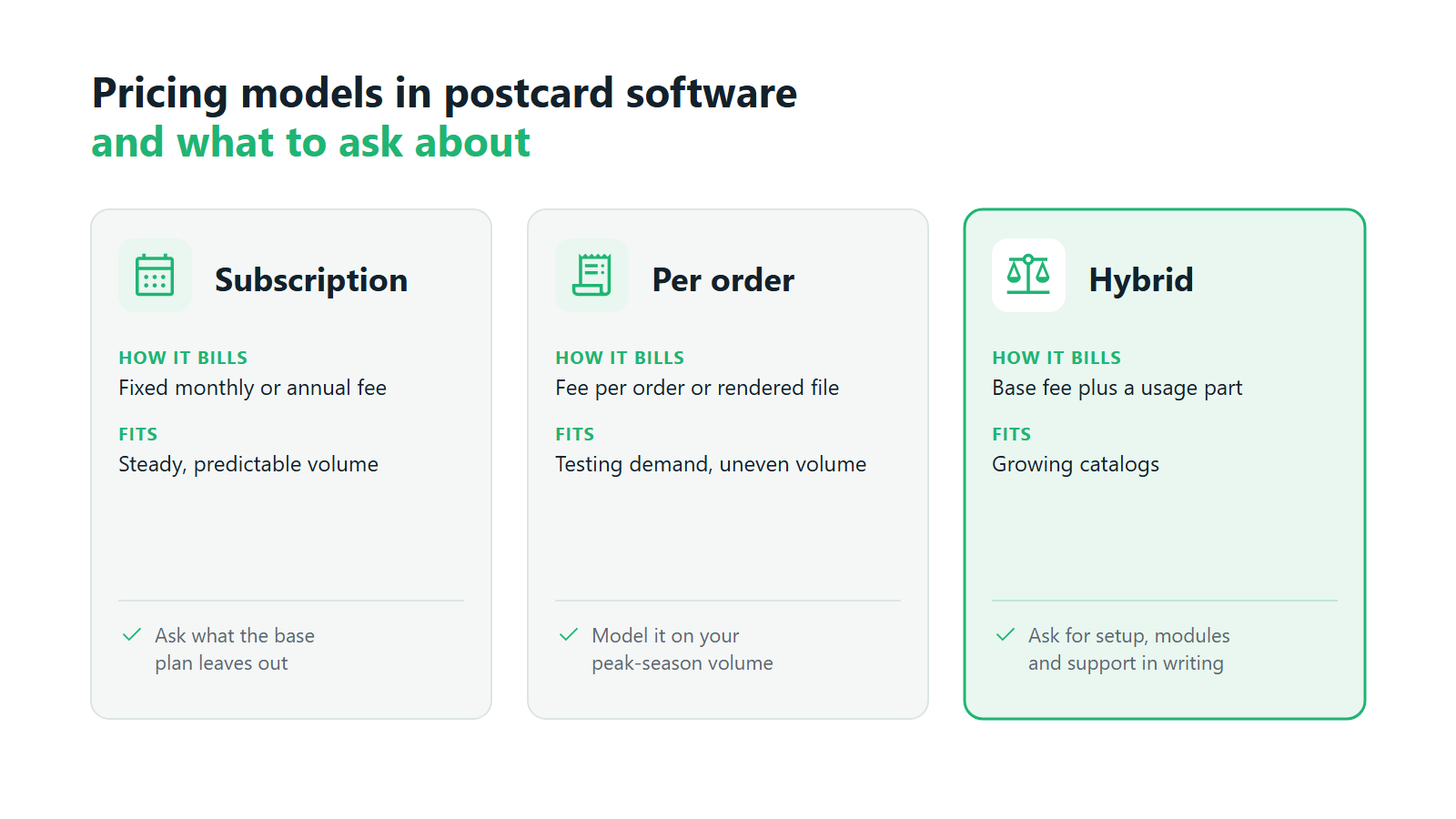
Pricing is where vendor comparisons get hard, because companies in this category bill in very different ways. The common models are a SaaS subscription with a fixed monthly or annual fee, a fee per order or per rendered file, and hybrids that combine a base fee with usage charges. A per-order fee is gentle in your first months and expensive at scale. A subscription is predictable, and it can feel heavy before volume arrives.
Public price lists rarely tell the whole story. Setup and onboarding, integration work, extra storefronts, add-on modules such as variable data or AI, and support tiers are often priced separately. Part of how to choose postcard design software well is asking each vendor for the full cost structure in writing. Have it modeled on your expected volume for the next two years, including the series orders and new categories you plan to add.
Deployment belongs in the same conversation. A hosted SaaS platform keeps servers, updates, and security with the vendor, a trade-off we cover in our article on the benefits of web-to-print SaaS. Building your own editor keeps control in-house, and the costs continue after launch: Printbox’s 2026 analysis of build vs. buy in print personalization puts yearly maintenance at 15-25% of the original build cost.1 Count that in before you set a build estimate against a subscription fee.
Questions to Ask Before You Commit
A demo shows the best path through the product. These questions, a second pass through your postcard software features checklist, show the rest:
- Which formats and papers are supported natively? Can you add a new size or paper stock yourself, and does the preview follow it?
- Does the platform handle series personalization from a data file? Can customers review and fix imported records inside the editor?
- Does the catalog sync automatically with my store? And how do orders get from the store into production?
- How does quality control work before an order goes to print? What happens when a customer uploads a low-resolution photo?
- Will the same platform handle my next product categories? Which ones, and does each one need its own integration?
- What is the full pricing model? Setup, subscription, usage fees, modules, integrations, and support, modeled on your real volume.
Ask every vendor on your shortlist the same six questions and compare the answers side by side. The best software for print on demand postcards is the one whose answers still hold up when you plug in your own volume, your store platform, and your production setup.
Frequently Asked Questions
What’s the difference between postcard software and a general graphic design tool?
A general design tool produces a file for one person to download. Postcard software runs inside your store: customers design within fixed formats and papers, see a preview of the product they are buying, and check out, and the platform turns the order into a print-ready production file. That link to your catalog and production is what you pay for.
Do I need software that supports variable data, or just single custom postcards?
If you sell only to consumers making one card at a time, single-card personalization may be enough at launch. Series orders, such as wedding thank-you cards, corporate mailings, or event invitations, need variable data support with a CSV upload and a way to edit records. Choose a platform that offers both, so you can add series later without switching software.
How important is catalog integration when evaluating postcard software?
Very, once you sell more than a handful of products. Native catalog sync means products, formats, and papers are defined once and appear in your store automatically. Anyone evaluating postcard design software should also ask how orders travel from the store to production, since that is a separate flow and just as important.
Will postcard software grow with my business as order volume increases?
Only if file preparation is automated and the platform handles single cards, series, and large orders in one place. Check whether new product categories, extra storefronts, and new languages fit into the existing setup. Knowing how to choose postcard design software with growth in mind saves a costly migration later.
Should I prioritize AI-assisted design when evaluating postcard software?
Treat it as a strong extra and keep it out of the first round of criteria. Settle the editor, variable data, production files, and store integration first. Then check that AI output shares the same catalog and checkout, is upscaled to print resolution, and that prompts are moderated automatically.
What are the key features of a print-on-demand postcard tool from Printbox?
Postcards are designed in Printbox's Simple Editor or the mobile-first Flex Editor, embedded in your store with a live preview, and the Variable Data Printing module turns a CSV file into a series of personalized cards editable in a table. A print-ready file is generated automatically for every order, EC Sync keeps your catalog in sync with Shopify, Shopware, or a custom store, and Masterpiece AI adds optional AI creation. Knowing what to look for in postcard design software makes it easy to test these claims in a demo.
Sources
- Printbox, Build vs. Buy in Print Personalization, 2026, p. 3. ↩︎

Sylwia Kopeć
She collaborates with her team to develop and implement the company's marketing strategies. With a strong background in marketing communications, online marketing, and content marketing, she efficiently integrates these strategies into the brand. Her focus on omnichannel digital campaigns, keen analysis of client needs, and creative approach have delivered significantly enhanced Printbox's market presence.