Personalized products on Shopify, without the variant workaround.
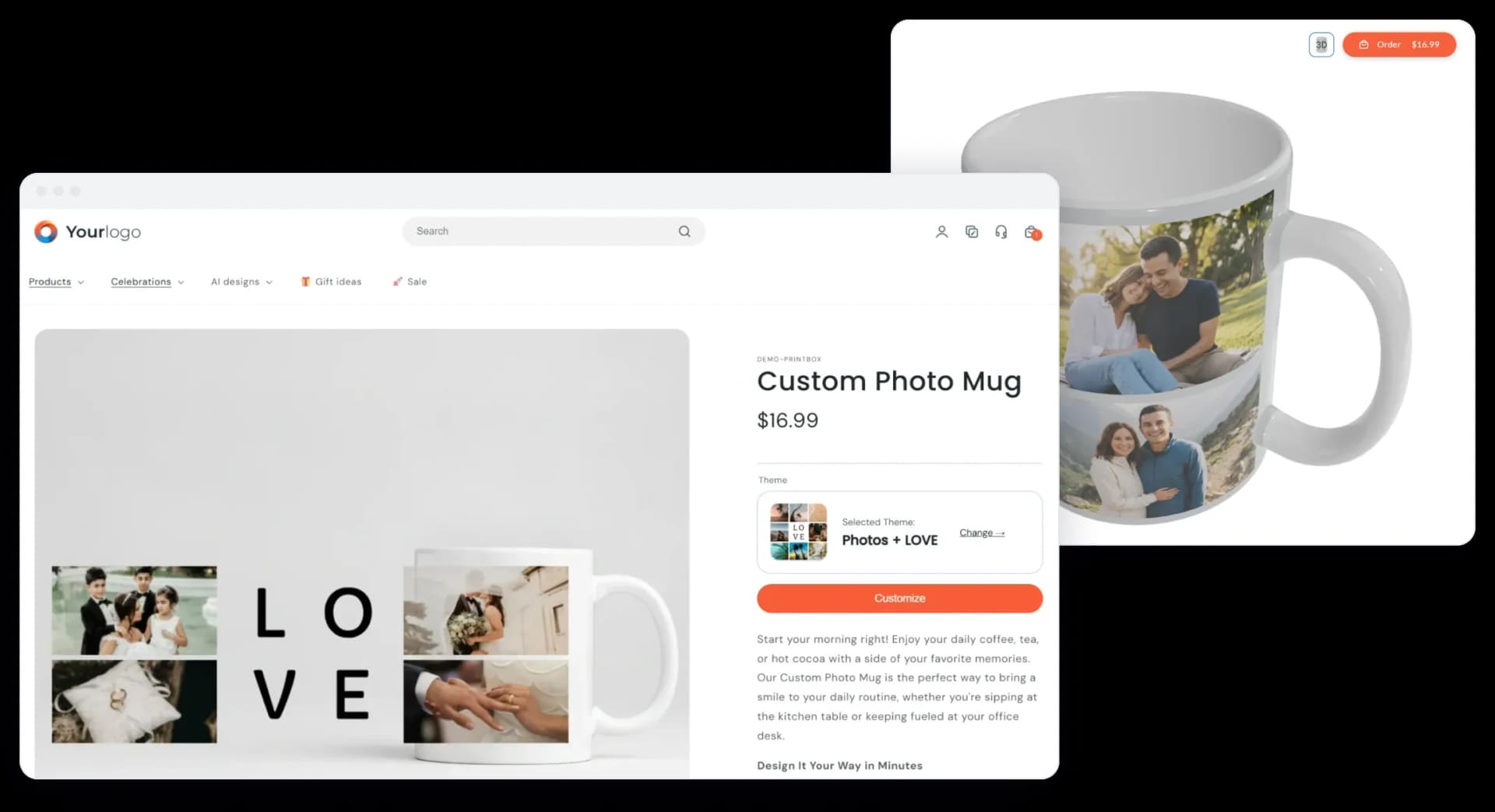
Shoppers design on your product page, under your brand. You get a print-ready file, and the order goes to your presses or your fulfiller without manual file handling.
Where Shopify personalization breaks
Two problems merchants bring to us most often, and what Printbox does about each.
Three options per product is not enough
The problemShopify allows three options and 2,048 variants per product. A mug with size, color, handle and print area runs out of room before the catalog does.
Printbox keeps the production logic on its side. Up to three attributes become Shopify options. Others split the catalog into separate products, are chosen in the editor, or run as unlisted add-on products. The shopper still buys one personalized item.
The personalizer breaks when the catalog grows
The problemWhen personalization sits on top of variants, every new size or color means mapping the product again.
In Printbox, valid combinations are defined once. The Catalog Setup Wizard in the Printbox app builds the Shopify products from them, point and click, no code.
New artwork from one photo. Not a retouched snapshot.
Masterpiece AI turns a customer's photo, or a short idea typed as a prompt, into a new design for mugs, tees, posters and canvas.
See Masterpiece AI →- Upscaled to print resolution automatically
- Checked for inappropriate and copyrighted content before the shopper sees it
- Runs inside the Flex editor, as an optional step next to manual design
How it runs in your Shopify store
Your storefront, your checkout. Printbox handles the editor and the print file.
- 1
Personalize on the product page
The editor opens in a window over the product page. The shopper never leaves your store.
- 2
Review in the cart, pay in Shopify
A preview of the design and the chosen options, with a link back to the editor. Checkout stays Shopify's.
- 3
Print-ready file to production
Each order goes to your own presses or to Peecho, SiteFlow or Cloudprinter, with no manual file handling.
See it in a Shopify store
A short demo of the Printbox editor inside a Shopify store, from product page to cart.
Peak season shows the gaps. Fix them before the next one.
Returns and complaints after a personalization season point to the same places: a photo cropped wrong, a size the shopper didn't expect, text that didn't fit.
- Now
A 30-minute walk through your editor path from this season.
- January
Decide what to fix and the scope.
- Spring
Go live, ready for the next peak.
I haven't come across any competitor doing exactly what you do. Even globally.
Frequently asked questions
Can I remove Printbox branding?
Yes. The editor, emails and storefront pages run under your brand: your domain, logo, colors and copy. Full removal of the "Powered by Printbox" line is part of the White Label module, so we confirm it against your package during the demo.
Can I sell non-personalized products in the same store?
Yes. They stay regular Shopify products. Printbox only acts on cart lines that carry a personalized design, so the rest of your catalog and checkout work as before.
Can one cart mix personalized and regular products?
Yes. Personalized items go to Printbox as one order, and regular Shopify products are fulfilled as usual.
Do iPhone photos (HEIC) work?
Yes. Shoppers can upload photos straight from their iPhone, HEIC files included.
Can shoppers personalize without an account?
Yes. Shoppers can design without an account. When they later sign in on the same device, their designs move to their account.
Do I need a developer?
Not for a standard setup. The Printbox app installs from the Shopify App Store and product setup runs in a wizard. Custom storefront design or an ERP integration is a professional services project.
Can a customer edit the design after adding it to the cart?
Yes. The cart has a link back to the editor, so the shopper can change the design before checkout.
See Printbox on your own Shopify products
A 30-minute demo built around your catalog, your store and your fulfiller.
Book a demo on your products
Tell us what you sell on Shopify and who prints it. We'll show you the editor, the cart and the order flow on products like yours.
Free · No obligation · 30 minutes
Stay connected through our social media profiles: