Variable Data Printing for Personalized Postcards: How It Works and How to Scale It
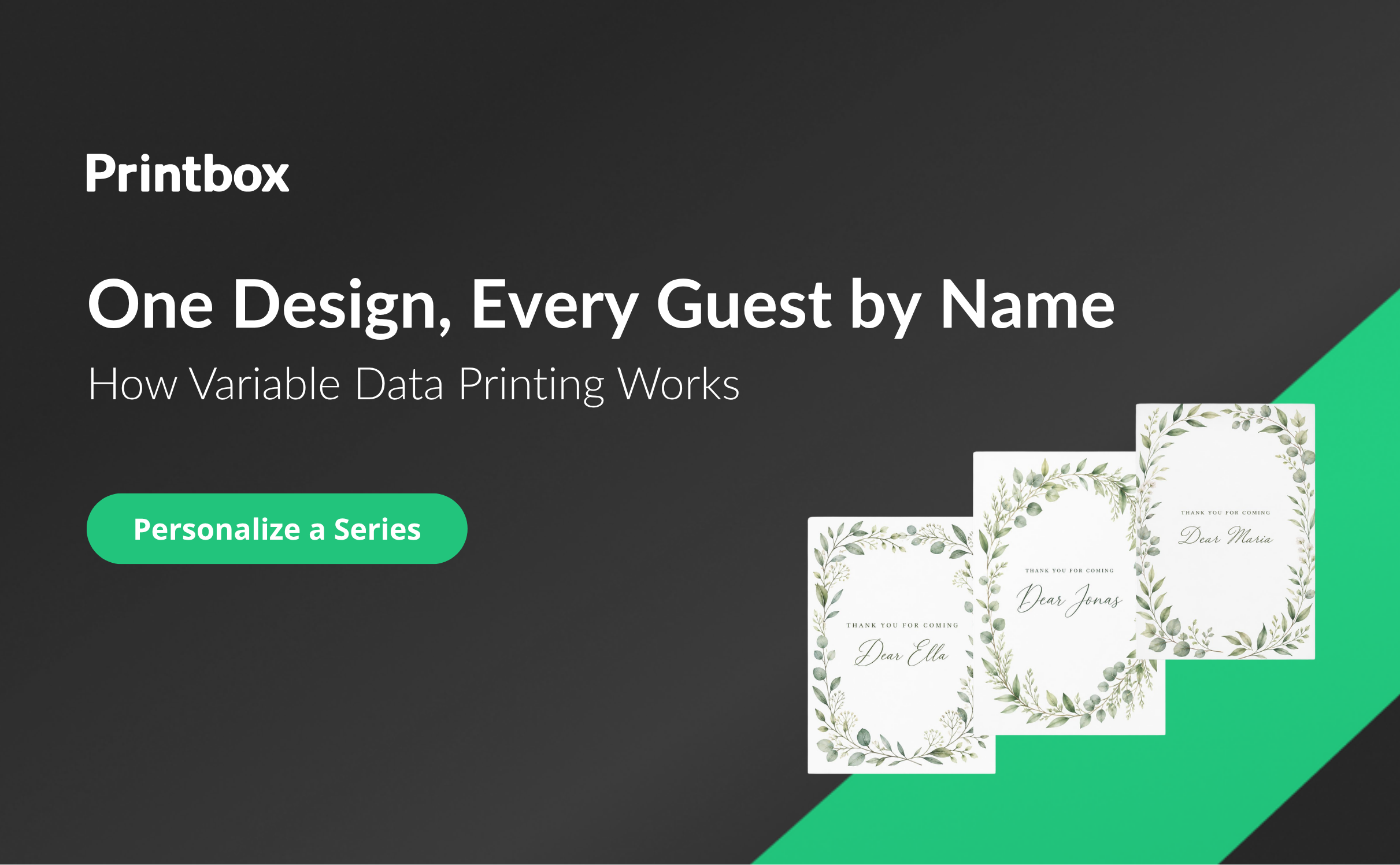
VDP printing (variable data printing) is a digital printing technique in which text, graphics, or images change from one printed piece to the next, driven by data from a file or database, without stopping the print run. For postcards, that means one design and many personalized copies: a thank-you card that greets each guest by name, or a company card that carries a different message for every client. This guide explains what VDP is, how it works for postcards, how to set it up in your store, and how to grow a variable data postcard line once it is live.
What Is Variable Data Printing (VDP)?
If you are looking for a short variable data printing VDP definition, it is this: a print job where the layout stays fixed and the content of selected fields is pulled, piece by piece, from a list of records. One record becomes one printed piece. A spreadsheet with two hundred rows becomes two hundred postcards, each carrying its own name, greeting, or company detail.
The idea grew out of direct mail. Marketers had long merged names and addresses into letters, and once digital presses could print every sheet differently, the same logic moved from the envelope into the design itself. Offset printing needs a fixed plate for every page, so changing content between copies was impractical. Digital printing removed that limit, and variable data printing technology became a common way to personalize printed matter in volume.
You will also see the technique under other names. “Variable information printing” (VIP) and “variable imaging” (VI) describe the same thing, with variable imaging usually stressing that pictures change between copies as well as text. Whatever the label, the mechanics are identical: a template, a set of variable fields, and a data source that fills them.
So what is variable data printing VDP in practice, compared with ordinary personalization? The difference is who does the work and how many times. In a standard personalized order, a customer opens the editor, types a name onto one postcard, and orders it. With VDP, the customer designs once and supplies a list, and the system produces every version. One personalized postcard is a design task. A hundred personalized postcards is a data task, and VDP is the tool built for data tasks.
How VDP Works for Postcards
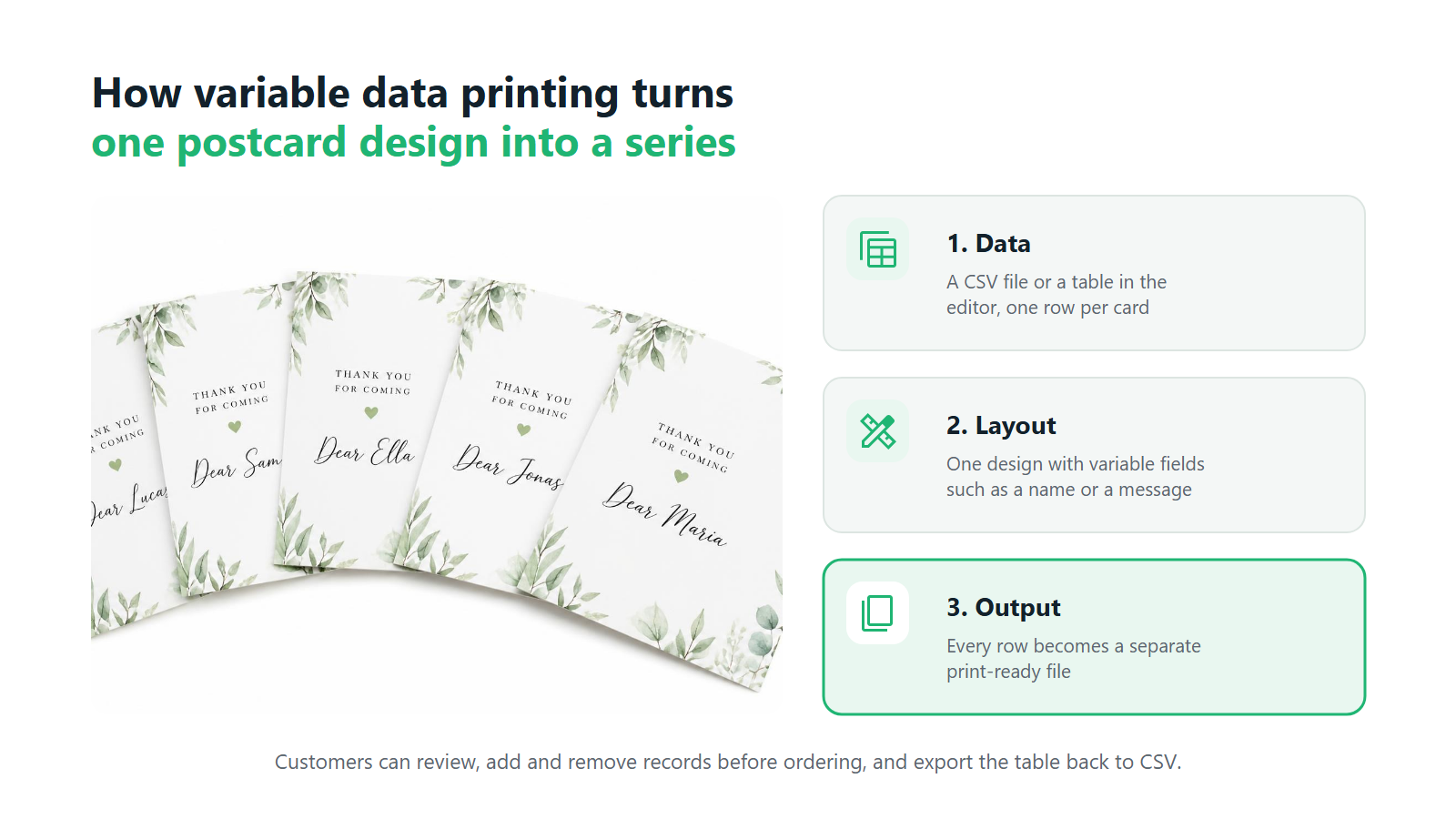
A VDP postcard has three ingredients.
One layout. The design, background, fonts, and fixed copy are shared by every card in the series. This is what keeps the series consistent: the same brand colors, the same photo, the same composition on every piece.
Variable fields. Certain elements of the layout are marked as placeholders. On a postcard these are usually a first name, a company name, a short personal message, or a line such as a table number or a membership level. Each field is tied to a column in the data.
A data source. The data arrives as a table, most often a CSV file exported from a spreadsheet, a CRM, or a guest-list tool. Each row is one recipient. Each column feeds one field.
When the order is placed, the system walks through the table row by row, fills the fields, and produces a separate print-ready file for every record. The press receives a finished file per postcard, so nothing has to be typeset or merged by hand in prepress. This is where VDP variable data printing pays off for the seller: the prepress effort for the hundredth card is the same as for the second.
The quality of the result depends almost entirely on the data. Names that run longer than the field allows, inconsistent capitalization, or an empty cell in a row will show up on the printed card. That is why the best VDP setups let the customer see and correct the data before ordering, which we cover below.
Typical VDP Postcard Use Cases
Variable data printing postcards fit any situation where many people should receive the same card with something written just for them.
Thank-you cards after an event. A conference, a product launch, or a charity gala ends with a list of attendees. A postcard that thanks each person by name, with the event photo in the design, lands better than a generic email and takes the organizer minutes to order once the list exists.
Invitations with the guest’s name. Weddings, anniversaries, and corporate dinners all start with a guest list. Printing each invitation with the guest’s name makes it feel addressed, and it removes the slow job of handwriting names on a stack of cards. Our guide to selling wedding and event postcards online looks at this segment in more depth.
Company and seasonal cards in series. Businesses send holiday greetings, anniversary cards, and client thank-yous every year. VDP lets an account manager send two hundred cards with a personal line for each client, built from the same CRM export they already have.
Personalized series for clubs and organizations. Sports clubs, schools, alumni groups, and associations send membership cards, welcome cards, and season greetings to the whole roster. A single design with each member’s name is exactly the job VDP was made for.
In every one of these cases, the buyer already has the data. What they lack is a way to turn that list into printed cards without a designer and a mail-merge workaround. That gap is what a seller offering VDP printing fills.
How VDP Works in Printbox
Printbox offers a Variable Data Printing module that puts this whole process in the customer’s hands. Once the seller has enabled it for a product, the customer sees a Variable Data option in the left panel of the editor. From there they can upload a CSV file with their data, such as names or company names, or type the records in manually. The imported data appears in a table inside the editor, where the customer can edit any entry, add new records, delete ones they no longer need, and download the whole table as a CSV for their own records. All fields are translatable, so you can label them in each language your store uses. Each row of data becomes a separate print file, so the customer gets a personalized series and your production team gets ready files, one per postcard.
Setting Up VDP in Your Store
For the seller, enabling VDP printing software is a configuration job, and it happens once per product line. In Printbox the setup follows four steps.
- Create a product family for VDP. Start a new product family with products adapted for variable data. Keeping VDP products in their own family separates them from your standard personalized postcards.
- Label the variable fields. In the admin editor, add labels to the designs and give each variable field a unique ID. The ID is what links a field on the postcard to a column in the customer’s data, so a field called “first name” in the design picks up the first-name column in the CSV.
- Enable VDP in the configuration. Switch on the VDP option in Config. From that point, customers who open these products see the Variable Data option in the editor.
- Set quantity rules. The shop administrator can limit the quantity for VDP products. The locked quantity in the product card is used to show the price of a package, so the customer sees what a set of cards costs instead of a per-piece figure.
The last step deserves a moment of thought before launch. A variable data postcard order is usually bought as a set, and package pricing matches how buyers think about it: they buy “fifty invitations” as one purchase. Decide which package sizes you want to sell, and set limits that fit what your production can turn around comfortably.
On the design side, postcards in Printbox are created in two editors. The Simple Editor is built on a “design first, configure later” approach, with stationery such as postcards and invitations on its product list. The Flex Editor is a mobile-first editor for personalized cards and gifts. If you are still comparing platforms, our article on choosing print-on-demand postcard software sets out what to look for.
VDP vs. Standard Personalization
Both approaches belong in a postcard catalog, and they serve different buyers.
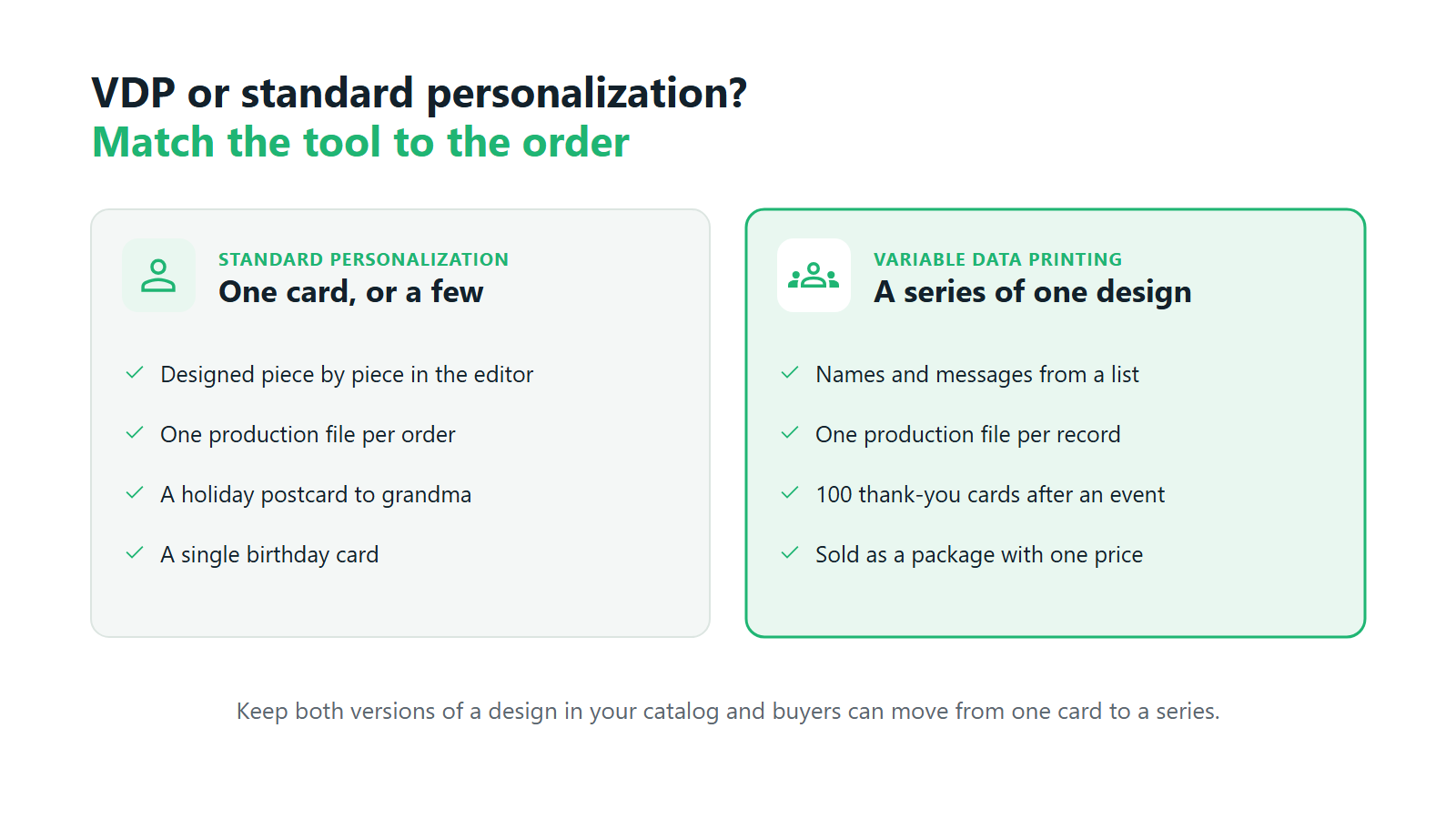
Standard personalization is enough when the order is one card, or a few. A traveler sending a holiday postcard to their grandmother or a parent making a birthday card designs a single piece in the editor and orders it. Adding a data table to that flow would only get in the way.
VDP is the right tool when the order is a series. The signals are easy to spot. The customer wants many copies of one design. Each copy needs a different name or line of text. The data already exists in a spreadsheet or a list. The order is bought as a package. Any of these on their own suggests a VDP product; all four together make it the obvious choice.
There is also a middle ground worth planning for. Some buyers start with a single personalized card and come back later with a list: the small business owner who ordered one thank-you card and now wants one for every client. Keeping both versions of a postcard in your catalog, a standard product and a VDP product built on the same design, gives that customer a natural next step.
For the seller, the practical difference shows up in operations. Standard personalization produces one file per order. With VDP variable data printing, every record gets its own file, so a single order can turn into dozens or hundreds of print files. That only works if file generation is automatic, which is why VDP printing software matters more than the editor feature alone.
Print labs notice this gap. In our conversations with labs running older systems, a missing variable-data merge has come up among the reasons for looking at a new platform, next to limits in mobile support and template handling. Without it, every personalized series means someone retyping names or splitting files by hand.
Growing and Scaling Variable Data Postcard Orders
Most sellers start VDP with one or two products, usually an invitation and a thank-you card. Growth after that tends to follow the same path.
From single cards to large series. The first VDP orders are often small: a family celebration, a dinner for thirty. As corporate and organizational buyers find the product, series with hundreds of data rows become routine. Your catalog and your ordering process do not need to change for this; the order simply has more records.
More templates and occasions. Once one VDP product works, adding the next is mostly design work. A holiday greeting, a welcome card for new members, a save-the-date, a client anniversary card: each one reuses the same setup steps with a new design and new field IDs. A catalog of variable data printing postcards grows by occasion, and every new occasion reaches buyers who already have a list.
Package pricing over per-piece pricing. Buyers of variable data printing postcards usually budget for a set. Selling sets with a visible package price makes larger orders easier to buy and easier to quote. It also lets you shape demand toward package sizes that suit your production planning.
One platform for every order size. The strongest position is a store where a single postcard, a VDP series, and a larger run all go through the same system. Buyers do not have to learn a second process, and your team does not run two workflows side by side. Broader questions of growth, such as when production needs to expand or how to add sales channels, are covered in our guides to scaling a print-on-demand business and selling personalized products across multiple channels.
This is where on-demand variable data print solutions differ from the traditional route of sending a list to a print shop for a quote. The customer handles the data, sees the result, and pays online, and the seller’s team only steps in at production.
How Printbox Supports Scaling VDP Orders
Printbox runs single personalized orders, VDP series, and larger orders on one platform, so growing volume does not require switching systems. A print-ready production file is generated automatically for every order, and with VDP each data record becomes its own file, so a growing number of variants does not mean preparing files by hand. EC Sync keeps your store catalog in sync with Printbox, whether you sell on Shopify, Shopware, or a custom store connected through the API, and orders flow to production automatically on a separate track. Printbox is white-label software and does not print: production and shipping stay with you, on your own presses or with your fulfillment partner. For the full picture of how Printbox supports postcard sellers, see our postcard print-on-demand software page, and for the wider business case, our guide on how to sell print-on-demand postcards.
Frequently Asked Questions
What does VDP stand for in printing?
VDP stands for variable data printing. It is a digital printing method where text, images, or graphics change between printed copies based on data from a file, while the layout stays the same. It is also known as variable information printing or variable imaging.
How do customers provide data for variable data postcards?
In Printbox, customers either upload a CSV file with their data, such as names or company names, or enter the records manually. They do this through the Variable Data option in the left panel of the editor. Each row of data becomes one personalized postcard.
Can customers edit imported data before ordering?
Yes. Imported data appears in a table inside the editor, where customers can edit entries, add new records, and delete ones they do not need. They can also download the whole table as a CSV file.
Can I limit the quantity of VDP orders in my store?
Yes. The shop administrator can limit the quantity for VDP products. The locked quantity in the product card is used to show the price of a package, so customers see what a set of postcards costs.
How do I scale from single postcards to large personalized series?
Start with one or two VDP products, such as invitations and thank-you cards, and keep standard personalized versions alongside them. Add new occasions as separate VDP products, sell them as packages, and run everything on one platform so larger orders need no separate workflow.
What are the key features of Printbox’s variable data printing module?
Customers upload a CSV or enter data manually through the Variable Data option in the editor, then edit, add, or delete records in a table and download it as a CSV. All fields are translatable. Sellers set up VDP with a dedicated product family, labeled fields with unique IDs, and the VDP option in Config, and can limit quantities and show package prices. Each data record becomes a separate print file.

Sylwia Kopeć
She collaborates with her team to develop and implement the company's marketing strategies. With a strong background in marketing communications, online marketing, and content marketing, she efficiently integrates these strategies into the brand. Her focus on omnichannel digital campaigns, keen analysis of client needs, and creative approach have delivered significantly enhanced Printbox's market presence.