Posters are a natural first product for a print-on-demand store on Shopify: a flat format, a few standard sizes, and a customer who already knows what they want on the wall. Shopify, however, ships without a poster editor or a print production layer, so the print on demand posters Shopify merchants want to sell need an integration that adds both. This guide covers how to sell posters on Shopify, the two integration routes, what to check before you pick an app, and how larger orders fit in. For the wider picture, start with our complete guide to selling print-on-demand posters.
Does Shopify Have Built-in Poster Printing?
No. Shopify gives you the storefront, checkout, payments, and product pages, and leaves design and production to third parties. There is no native tool that lets a customer upload a photo, pick a poster size and finish, and see a preview, and nothing inside Shopify turns an order into a print-ready file.
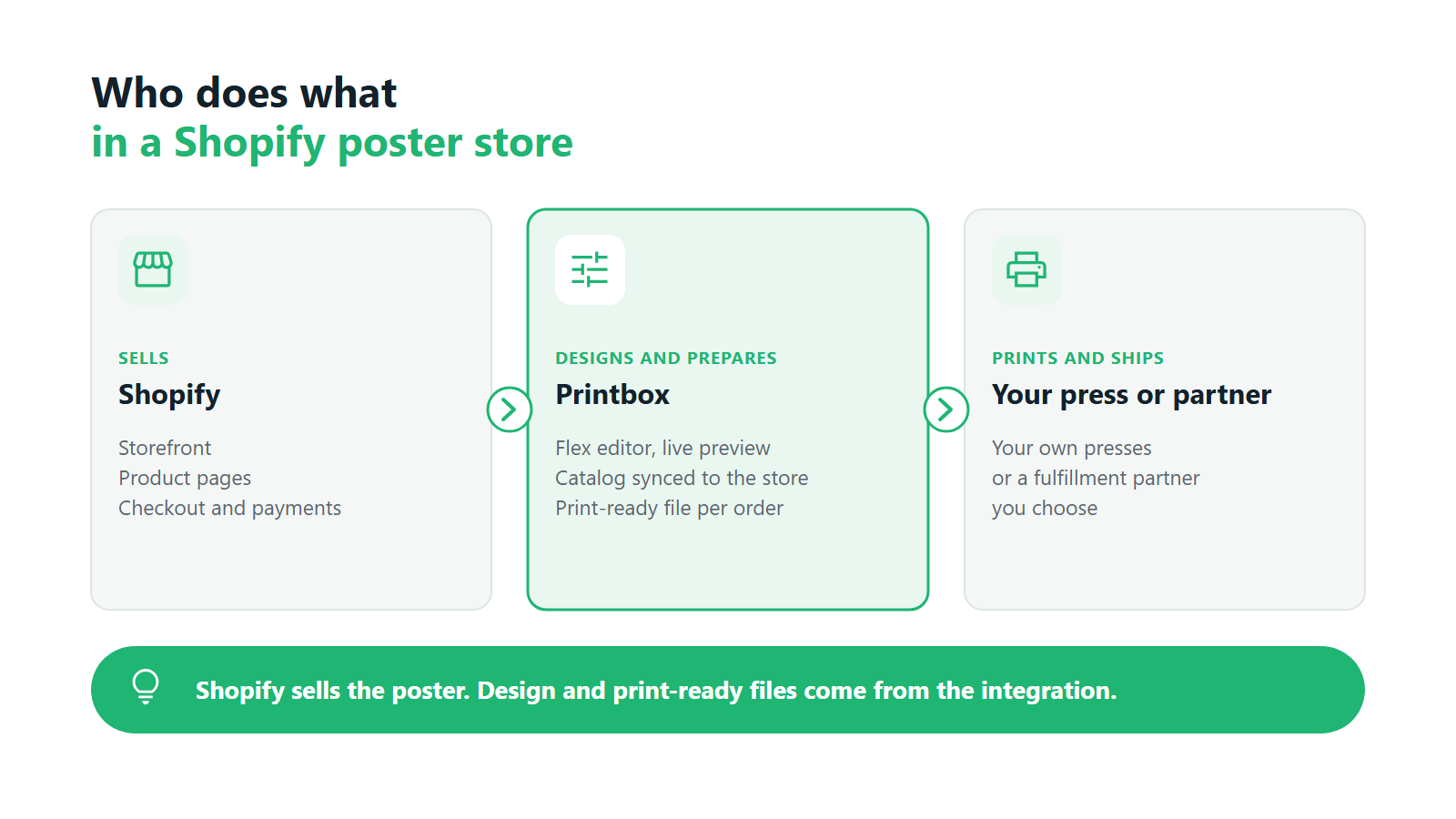
That gap gets filled in one of two ways: an app installed from the Shopify App Store, or an integration with an external platform through its API. Both are standard practice, and the right choice depends on how central posters are to your business. A store adding a single poster line needs something different from a print business that wants posters, photo prints, and wall art all running from one catalog. For the mechanics behind both routes, see our technical guide to how print-on-demand integration works on Shopify.
How to Add Poster Design & Print-on-Demand to Your Shopify Store
The first route is a full platform connected to your store. The platform holds the product catalog, the customer-facing editor, and the production logic, and Shopify stays the place where people browse and pay. This is the route for businesses that treat posters as a product line with many sizes, finishes, and price points, and that want the catalog managed in one place.
The second route is an app added straight into your existing Shopify theme. It suits stores that want to add one specific capability, such as AI-generated poster art, without changing how the rest of the store works. Setup is faster and the footprint on your theme is smaller.
A useful way to decide: if you expect to manage dozens of poster variants and fulfill a steady flow of orders, the platform route pays off. If you want to test whether your audience buys personalized artwork at all, the app route gets you live with less commitment. Either way, the poster print on demand Shopify setup should leave you with three things working: a design step the customer can finish on their own, product data that stays consistent between systems, and files that reach production without anyone touching them.
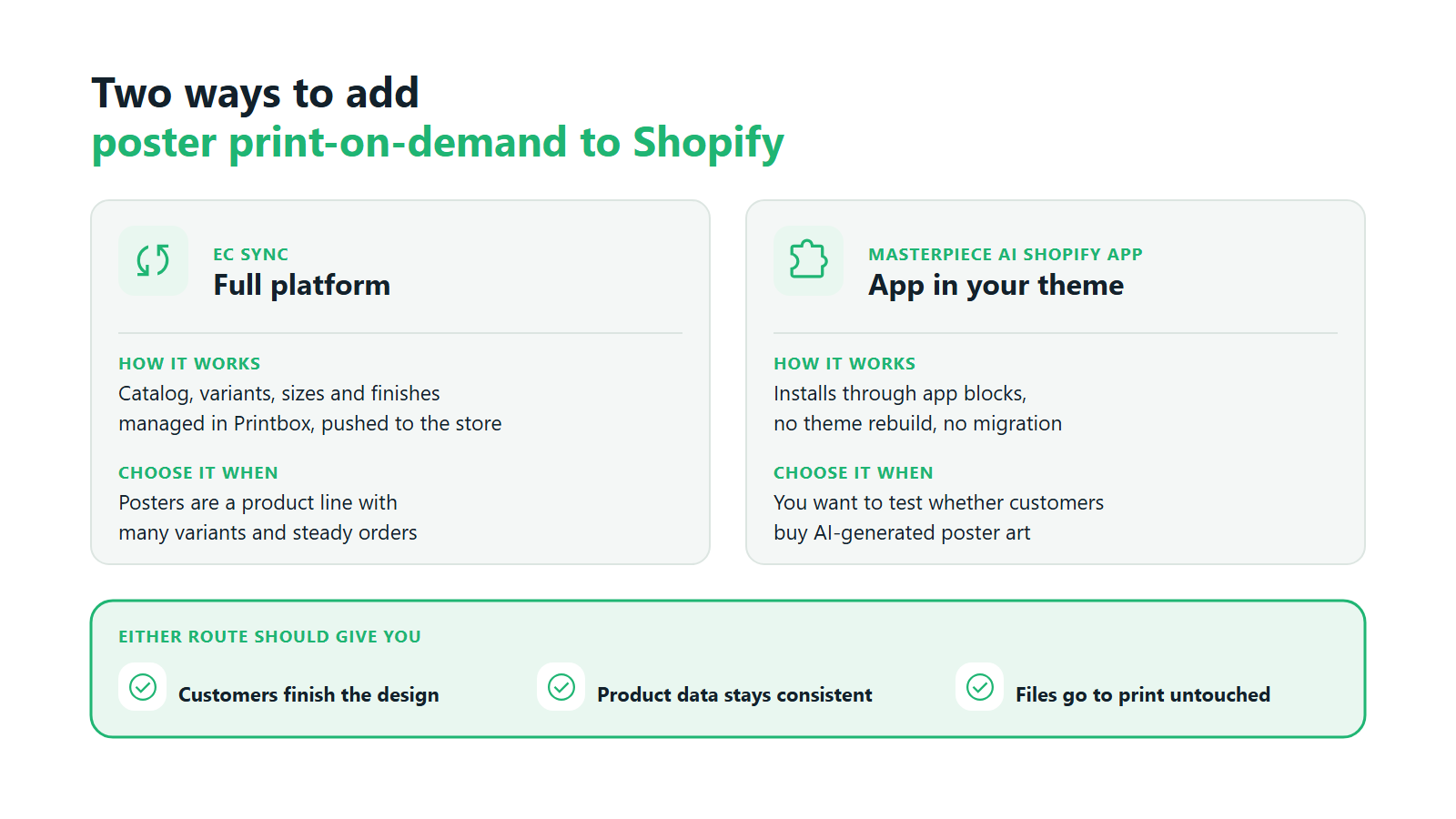
How Printbox connects poster print-on-demand to Shopify. Printbox offers both routes. For the full platform, EC Sync keeps your Shopify catalog in sync with Printbox automatically: products, variants, sizes, and finishes are managed in Printbox and pushed to the store, with no custom sync code to write or maintain. Orders then flow to production automatically along their own path. On the storefront, customers design posters in Printbox’s Flex editor, choosing a size and finish such as matte or glossy with a realistic live preview before they buy. Every order produces a print-ready production file automatically, so there is no manual file preparation per order. Printbox is white-label software and never prints anything itself: production runs on your own presses or at a fulfillment partner you choose. The same setup works on Shopify, on Shopware, or on a custom store through the API, so the same Shopify poster print on demand integration still fits if you add channels later. Our Shopify print-on-demand integration page walks through the connection in more detail.
What to Look for in a Shopify Poster App
Apps that add print on demand posters Shopify stores can sell look similar on a demo page. The differences show up after the first hundred orders, so test each candidate against the same short list.
- Formats and finishes. Check which poster sizes the app supports and whether you can set your own. Finishes such as matte and glossy should be customer-facing options with their own pricing, set up once in the catalog.
- Frames as an option. Framing raises order value, so you want it available as a product choice. Ask how a frame reaches production: a printed border belongs in the print file, while a physical frame is usually a catalog option passed to the printer with the order. Our guide to framed vs. unframed print-on-demand posters covers which to offer.
- Catalog and order sync. Find out which system owns your product data and how orders reach production. If you have to update prices or sizes in two places, errors follow as the catalog grows.
- Print-ready output. Every order should produce a file your printer can use as delivered. Any per-order file check becomes a bottleneck at volume.
- AI as an option. A Shopify poster design app with AI generation lets customers who have no photo or design start from a prompt. Treat it as an extra path next to the regular editor, since many poster buyers arrive with their own image.
There is no universal answer when you search for the best Shopify app for posters. The right one is whichever handles your catalog size, your production setup, and your customers’ starting point, whether that is a photo, a design idea, or nothing at all.
Single Orders vs. Bulk Printing on Shopify
A poster store sees two very different order shapes. Most orders are a single custom print. Some customers, such as an event organizer or someone decorating a whole office, want dozens or hundreds of prints at once. Your setup should handle both without a separate workflow.
In Printbox, one platform handles both a single custom print and a large order of hundreds of prints placed in one session, and you can configure quantity-based price tiers for larger orders. Whether a business should run on print-on-demand or print in bulk runs is a separate strategic question, which we cover in our comparison of bulk vs. print-on-demand poster printing.
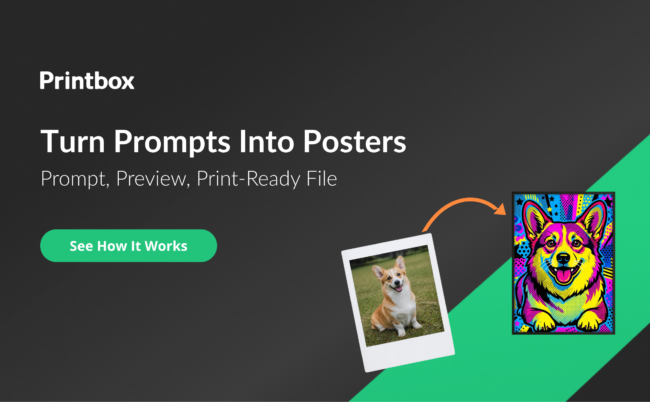
How to add AI poster generation to Shopify with Printbox. For stores that want AI-created artwork without a platform migration, the Masterpiece AI Shopify app is available in the Shopify App Store. It installs through app blocks, so a new install needs no theme rebuild. Customers generate poster art from a text prompt (text-to-image) or restyle an uploaded photo (image-to-image), and they can remix designs from an inspiration gallery when they need a starting point. Output is upscaled automatically to print resolution and goes through Printbox’s standard print engine like any other photo, so no one prepares AI files separately. Every prompt is moderated automatically, which blocks inappropriate content and prompts that reference copyrighted characters, styles, or public figures. AI stays an optional extra path, and customers who prefer to design by hand keep the manual editor. The result works as a Shopify poster design app for sellers who want a new kind of product and have no design team behind it. How the generation itself works is covered in our guide to AI-generated poster art for print-on-demand.
Frequently Asked Questions
Does Shopify have a built-in poster maker?
No. Shopify has no native poster editor and no print production. For print on demand posters Shopify needs outside help: stores add an app from the Shopify App Store or connect an external platform through an API. That integration provides the design step for the customer and the print-ready file for production.
What’s the difference between EC Sync and the Masterpiece AI Shopify app?
EC Sync connects the full Printbox platform to your store. It keeps your catalog of products, variants, sizes, and finishes in sync from Printbox to Shopify, while orders flow to production automatically. The Masterpiece AI Shopify app adds AI poster generation to your existing theme through app blocks. Choose EC Sync to run a full poster catalog, and the app to add AI artwork with minimal setup.
Can I offer framed and unframed posters through my Shopify store?
Yes. For photo posters, the Prints editor offers printed borders, drawn into the print file itself. A physical frame is set up as a product option in your catalog and passed to your printer or fulfillment partner with the order, so you can offer framed and unframed versions of the same poster from one custom posters Shopify store.
Do I need to rebuild my Shopify theme to add poster print-on-demand?
No. The Masterpiece AI Shopify app installs through app blocks, so a new install needs no theme rebuild. With EC Sync, products are synced into your existing Shopify store automatically, with no custom sync code, so the theme you already have stays in place. Knowing how to sell posters on Shopify mostly comes down to choosing the integration route, since the storefront itself can stay as it is.
What are the key features of a print-on-demand poster tool from Printbox for Shopify?
For the print on demand posters Shopify sellers offer, Printbox provides the Flex editor for poster design, with sizes, matte or glossy finishes, and a realistic live preview. A print-ready production file is generated automatically for every order. EC Sync keeps the catalog in sync with your store, and orders flow to production automatically. Single prints and large orders of hundreds of prints run on the same platform with configurable price tiers. Masterpiece AI adds optional text-to-image and image-to-image poster art with automatic moderation. Printbox is white-label and runs with your own presses or a fulfillment partner, and Printbox has launched stores in more than 50 countries. See the full offer on our poster print-on-demand software page, which shows how a poster print on demand Shopify store runs from editor to press.

Sylwia Kopeć
She collaborates with her team to develop and implement the company's marketing strategies. With a strong background in marketing communications, online marketing, and content marketing, she efficiently integrates these strategies into the brand. Her focus on omnichannel digital campaigns, keen analysis of client needs, and creative approach have delivered significantly enhanced Printbox's market presence.