
A shopper who comes to buy one print usually leaves with one print. The editor lets them picture a single frame, so a single frame is what they buy. This month’s biggest release starts from that problem. The rest of September follows the same thread: fewer round trips between what someone imagines and what ends up in the cart, for shoppers and for the teams who set up products.
The two releases we’re most excited about
Wall Art Editor: from one print to a whole wall
Before: one project, one print. Shoppers who wanted a gallery wall had to buy frames one by one and guess how they would look together.
Now: shoppers design their entire wall in one project, with their own photos shown as framed prints on a real room’s wall. They mix sizes, prints snap neatly into line, and frame and material can be set for the whole wall at once or print by print. The price updates as they go. The finished wall goes to the cart as a single project they can reopen and keep editing.
Seeing the whole wall makes it easy to add more prints and bigger ones. For you, single-print purchases become complete walls, which is a direct way to grow wall art sales. A single print as a gift still works just as well.
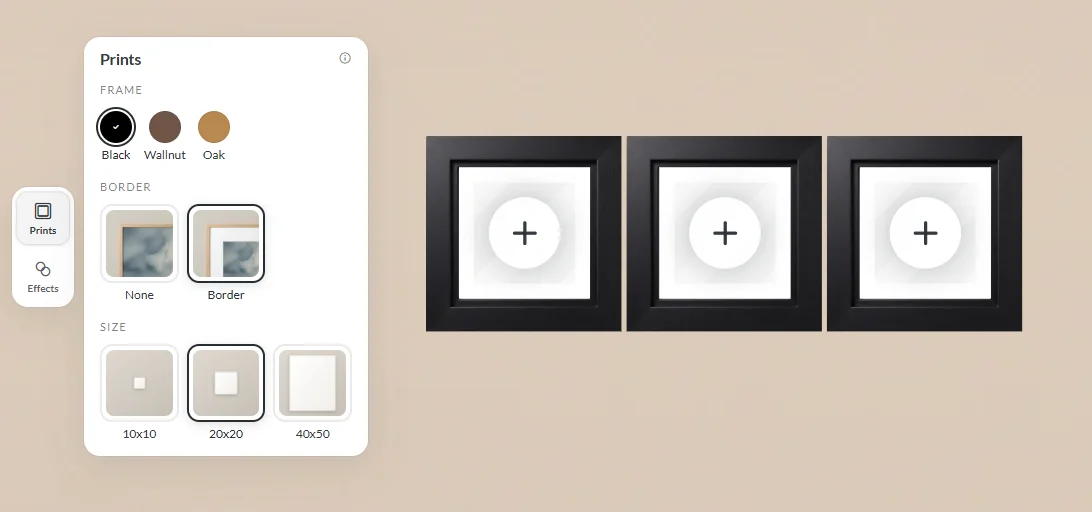
The first release works best with square formats, or catalogs where each product has one orientation.
The Wall Art Editor is part of Premium Editor Features. If your store already has Premium Editor Features, you have access to the Wall Art Editor too.
AI-written photo captions in Smart Editor (Private Beta)
Before: the photos are in, the text box is empty, and finding the right words for every page takes longer than picking the photos did. Many shoppers leave those boxes empty.
Now: a shopper taps a text field on a page with a photo and asks for a caption. They get a short line that describes that photo, written in your store’s language and sized to fit the field. It’s a starting point: they edit or delete it like any other text.
The result is a photo book that reads as finished, not as a set of pages with empty boxes.
Also new this month
3D visualizations with a live model preview
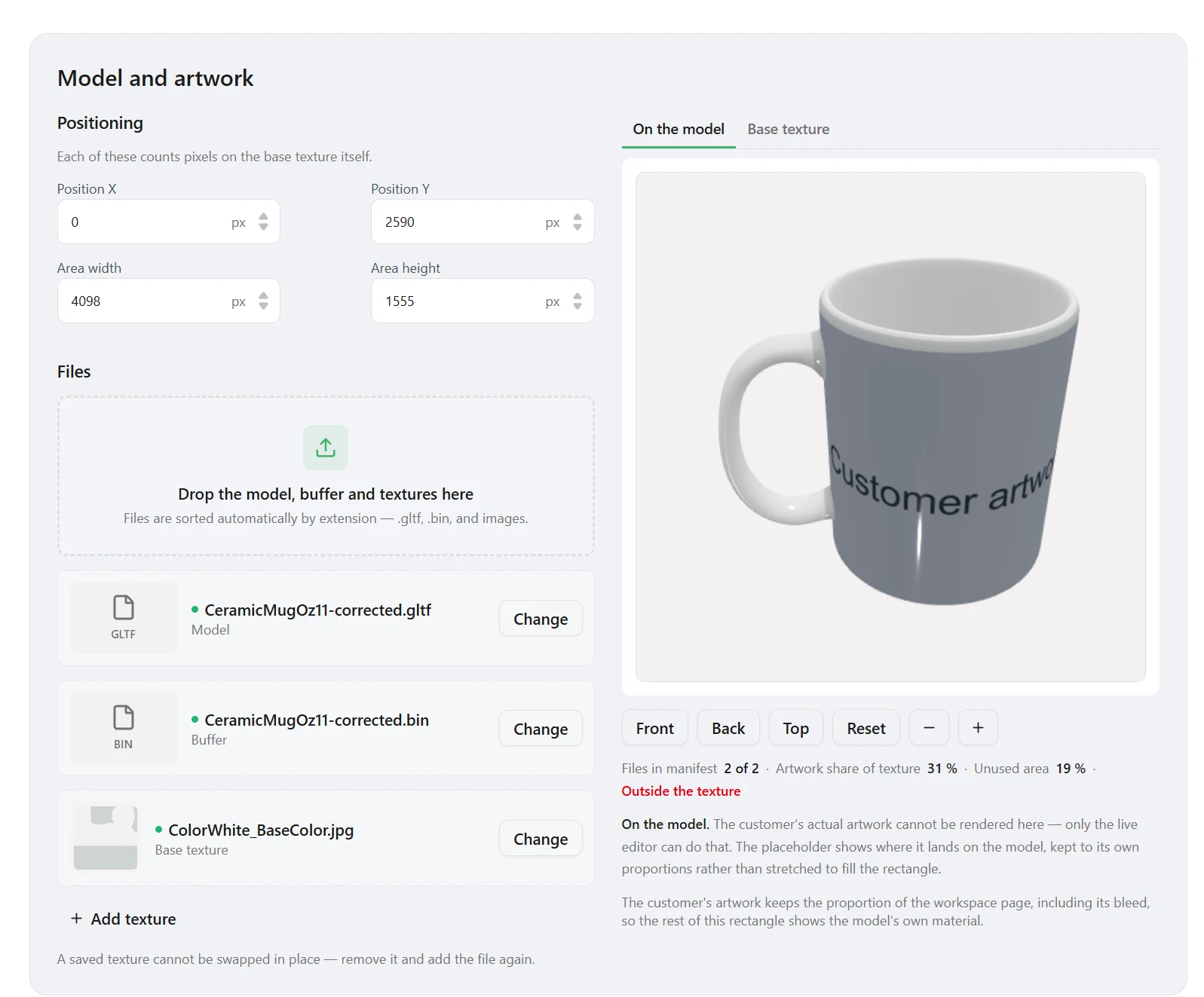
You can now set up products shown on a 3D model in the editor (mugs, frames, phone cases) in the new admin panel, with the model on screen while you work. Upload the model files in one place, position the artwork, and the preview renders it on the model straight away. A built-in check warns you if the artwork area runs outside the texture, before any shopper sees it.
A redesigned mockup design editor
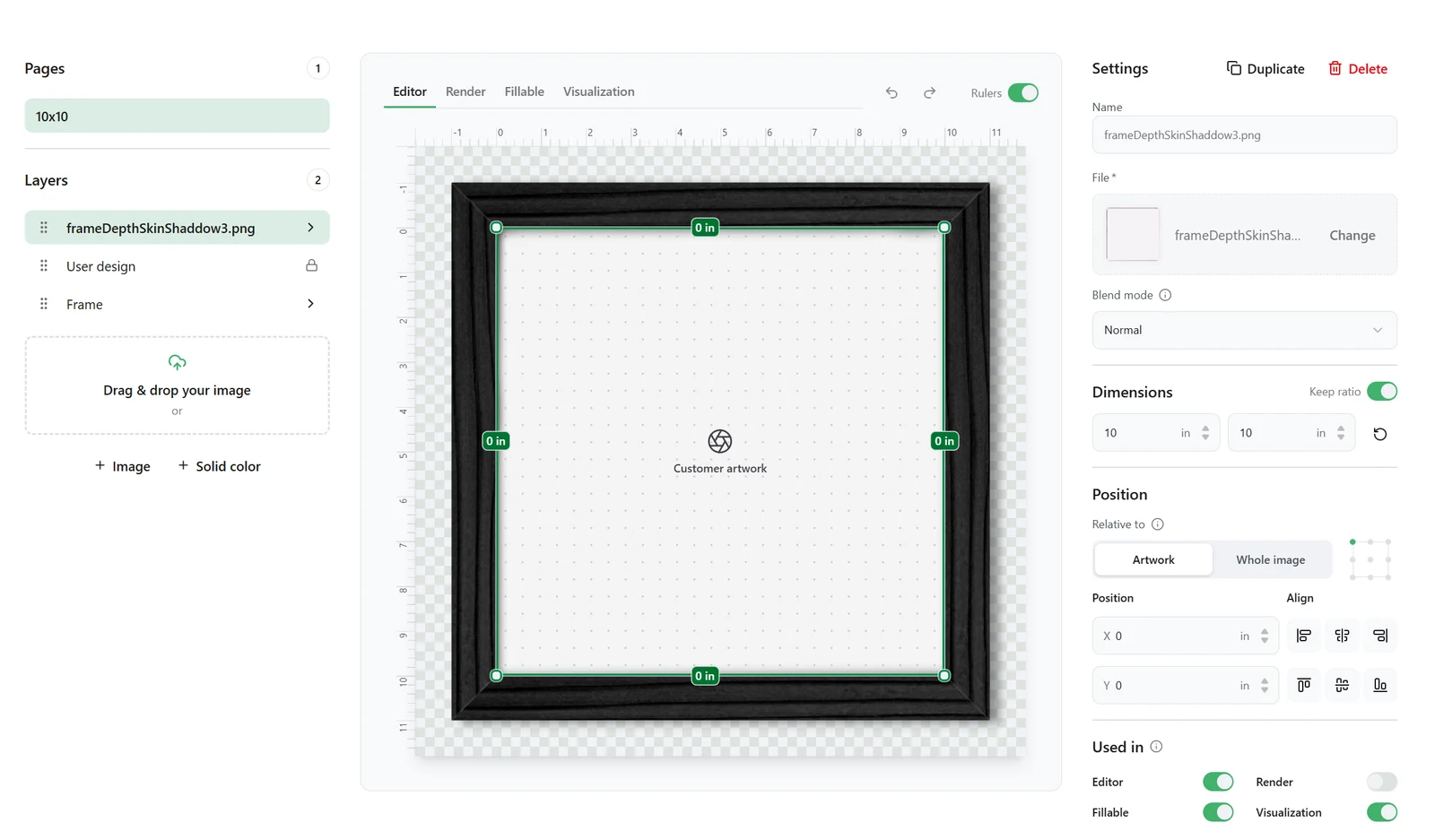
Mockups are the images drawn around a shopper’s artwork: the frame around a print, the cover of a book, the body of a mug.
Before: upload a PNG, save, check it in the editor, start over.
Now: one screen, with pages and layers on the left, a live canvas in the middle, and layer settings on the right. Four preview tabs (Editor, Render, Fillable, Visualization) show how the mockup looks everywhere it’s used. You see before saving whether a frame overlaps the photo in the editor or only in print.
A new admin panel, designed as a whole (Beta)
The new admin panel now covers most of what you configure day to day:
- Product family configuration: everything that defines a product family in one sidebar.
- Global search: projects, orders, customers, product families, and attributes from one field at the top of every page.
- Asset manager: bulk upload, tags, filtering, and bulk actions.
- Dashboard: orders, created projects, and rendered projects over the last 1, 7, 30, or 90 days.

Every list works the same way and remembers your sort, filters, and page when you come back. The classic panel stays one click away while the remaining areas move over.
Smaller upgrades worth knowing
- Fine-tune any page in Smart Editor, cover included. The book still builds itself in seconds. When a shopper wants one spread or the cover exactly right, they can now add photos and text to the cover and move text freely on inside pages. They can reset to the original design at any time.
- Photo filters in the Flex Editor. Black and white plus presets such as Orlando, Miami, and Key West, previewed right on the product. Shoppers no longer leave to edit a photo in another app and upload it again, which is a common point for shoppers to drop out.
Every update this month shortens the distance between an idea and a finished product, for shoppers and for your team.
Existing clients: want the Wall Art Editor live for the high season? Talk to your project manager now.
Curious about one of these features? Tell us which one and what you sell, and we’ll show you how it would work on your products.
New to Printbox? Book a demo →

Sylwia Kopeć
She collaborates with her team to develop and implement the company's marketing strategies. With a strong background in marketing communications, online marketing, and content marketing, she efficiently integrates these strategies into the brand. Her focus on omnichannel digital campaigns, keen analysis of client needs, and creative approach have delivered significantly enhanced Printbox's market presence.